


Buffet Temperature Log: A Template That Passes Audit
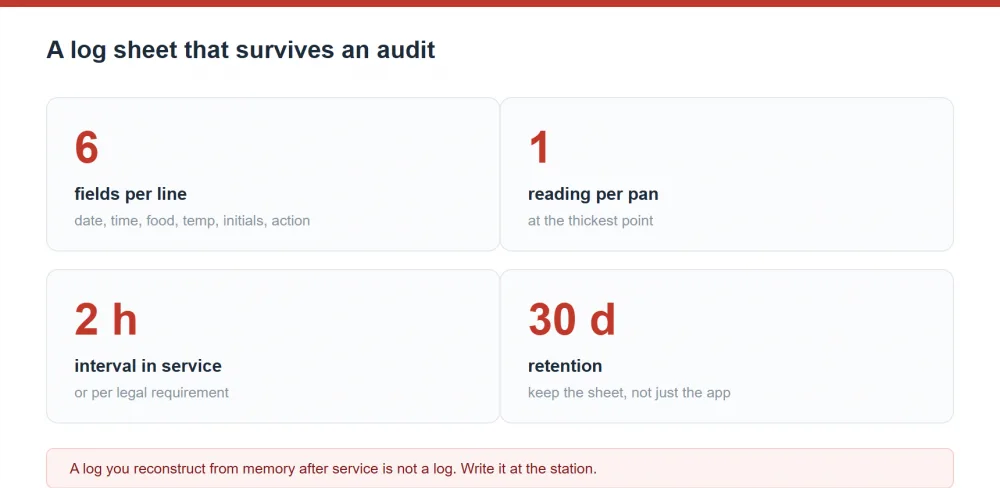
Short answer: a usable buffet temperature log has six columns and one row per reading: date, time, food item and pan, temperature with its unit, initials, and the action taken. Print it with the hot-holding and cold-holding limits printed in the header so staff never have to remember what 135°F means. If you want a free copy, print this page — the table below is the template, laid out for a clipboard. Full rule detail sits in HACCP for Buffet Lines; browse buffet station equipment.
The template, column by column
This is the whole thing. Everything else is optional decoration around it.
| Column | Header to print | Example entry | Why it exists |
|---|---|---|---|
| 1 | Date | 2026-10-21 | Groups a service; essential if a sheet spans two days |
| 2 | Time | 11:35 | Proves the reading interval; the auditor's first check |
| 3 | Food item / pan | Beef roast, pan 3 | Links the reading to a specific batch |
| 4 | Temp (°F) | 142 | The measurement itself, with the unit in the header |
| 5 | By (initials) | J.M. | Identifies the accountable person |
| 6 | Action if out of range | Reheat to 165 at 11:50, re-read 168 | Demonstrates a proportional response |
Print this header on every sheet
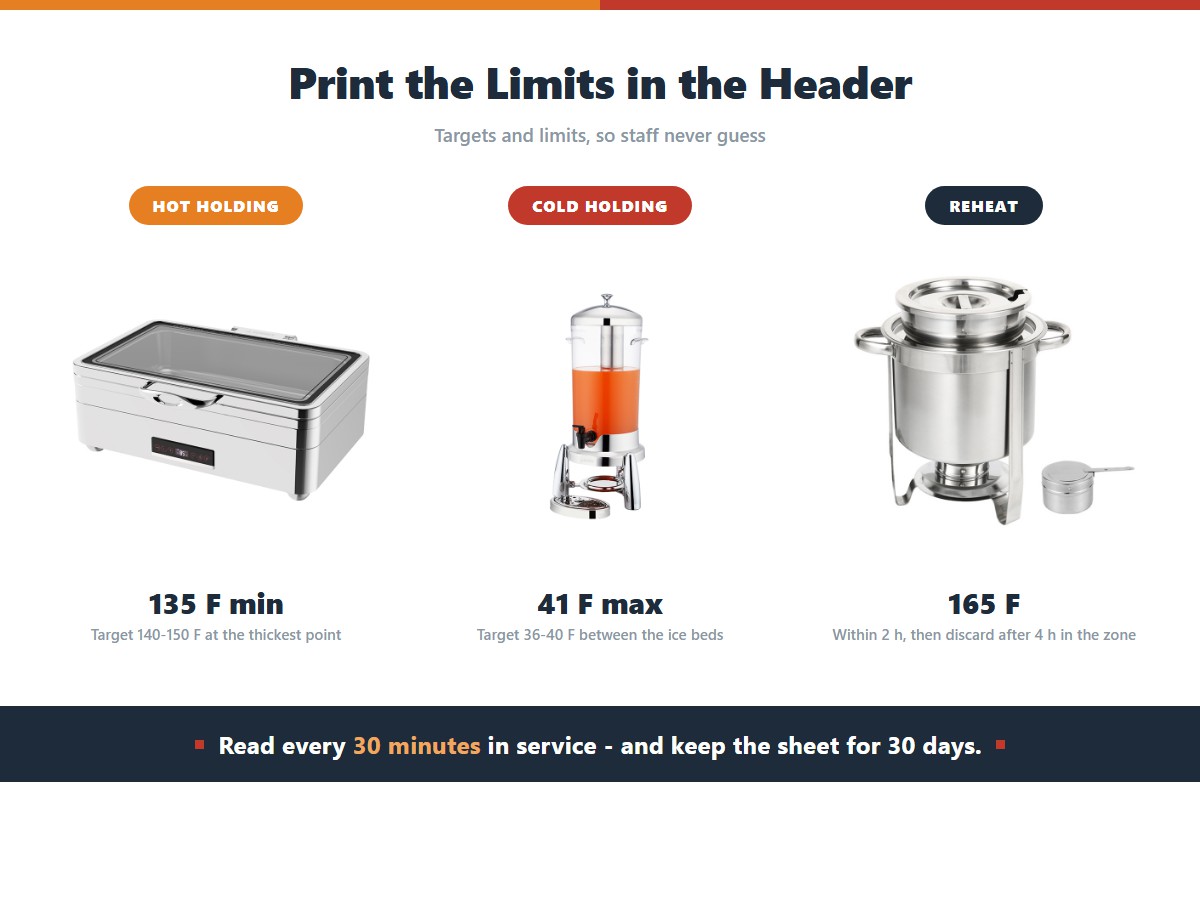
Put the limits directly on the form. This single change removes most of the compliance failures we see, because it removes the need for staff to remember numbers.
| Line | Hot holding | Cold holding | Reheat to | Discard after |
|---|---|---|---|---|
| Limit | 135°F / 57°C min | 41°F / 5°C max | 165°F / 74°C | 4 h in the danger zone |
| Target | 140–150°F | 36–40°F | 165–175°F | — |
| Action if breached | Add heat, re-read in 15 min | Add ice, move to fridge | Continue heating, re-read | Discard and log it |
| Read every | 30 min | 30 min | — | — |
Two layouts that work
The clipboard log is the standard: a single A4 sheet per station per service, six columns, a row per reading. It survives anything, including a power cut or a failed tablet, and it can be carried to the line. Its weakness is that entries get skipped when the line gets busy, so the header must state the interval in writing.
The per-pan log assigns one sheet to one pan, so the readings form a vertical column. It is easier to read at a glance and easier to hand to an inspector for a specific batch, and it makes the four-hour clock obvious because you can count the rows. It needs more paper and a disciplined filing system.
For a line with more than about eight chafers, the per-pan version is easier to audit. For a small line or a single-station breakfast, the clipboard version is faster and good enough.
Writing entries that hold up
- Write the number you read, not the number you hoped for. If the probe reads 131, write 131 and write the action in the same line.
- Use the same pen all service. Mixed ink across a sheet is a common giveaway of backfilling and it invites the question.
- Never correct with white-out. Strike through once, initial, and write the new value. A clean-looking correction is worse than a visible one.
- Do not leave the last row blank "just in case". A sheet with a systematic gap looks like a sheet with a systematic failure.
- Sign the bottom at close. The closing signature says the sheet was completed rather than abandoned.
Reconciling the log against reality
Once a week, take the completed sheets for the week and check three things. Do the intervals between readings match the printed interval? Do the discarded quantities in the log match your waste record? Do the readings for the same pan and dish look physically plausible, given how the food was cooked? A log that fails all three checks is telling you the routine is not happening, and no amount of template design fixes that.
Template design also has a hard limit. If your staff do not have the two minutes it takes to write a row, the row will not exist. That is an operational problem, and it is usually solved by reducing the number of readings rather than by asking for more care. See 10 Buffet Food Safety Mistakes for the practices that most often fail on the floor.
Frequently Asked Questions
Is there a free buffet temperature log template I can print?
Yes — the table above is the template, and this page prints cleanly. Print one per station per service, with the header block from the second table on the same sheet. A clipboard, a pen on a string and a sanitised probe in a holder is all the equipment the process needs.
How often do I need to take a reading?
Every 30 minutes is the working standard for most buffet operations, and some codes and company policies specify it explicitly. Some jurisdictions allow a longer interval for certain holding methods. Whatever your requirement, print it on the sheet. A 15-minute interval you actually keep beats a 5-minute interval you abandon on a busy Saturday.
Do I need a separate log for each dish?
One sheet can cover all dishes if every row names the food item and pan. A separate sheet per pan is easier to audit and easier to use for traceability, at the cost of more paper. The rule is that a reader must be able to tell, from the record alone, which batch each number belongs to.
What if there is no probe thermometer at the line?
Then you have a documentation problem and a safety problem at the same time, and no template fixes either. A calibrated probe costs a small fraction of one service. Until you have one, treat any log you produce as a checklist of dish names rather than a temperature record, and do not claim otherwise to an inspector.
Should I log food that is only being kept warm, not cooked?
Yes. Holding temperature is exactly what the log exists to evidence, whether the food was cooked on site or delivered. The only items that do not need hot-holding readings are those served at room temperature under a rule that permits it, such as certain breads and unopened packaged items.
Can I use a spreadsheet instead of paper?
Yes, and it gives you automatic timestamps and easier trending. It also introduces failure modes: a shared tablet nobody charges, a file on one person's laptop, and formula errors that silently distort a column. If you go digital, test the export and keep a paper fallback for power and network outages.
Related reading
- Food Holding Temperatures: The Safe Zones Every Caterer Must Know
- Commercial Chafer Dish with Temperature Control for Food Safety
- HACCP for Buffet Lines: Temperature Logs That Pass Audit
- Buffet Equipment Budget Template for a New Restaurant
- Buffet Equipment Maintenance Schedule: Don't Wait Until It Breaks
- How to Calibrate a Food Heat Lamp: Ensure Accurate Temperature